How to Create Digital Products: Ebooks, Courses & Templates That Sell in 2026
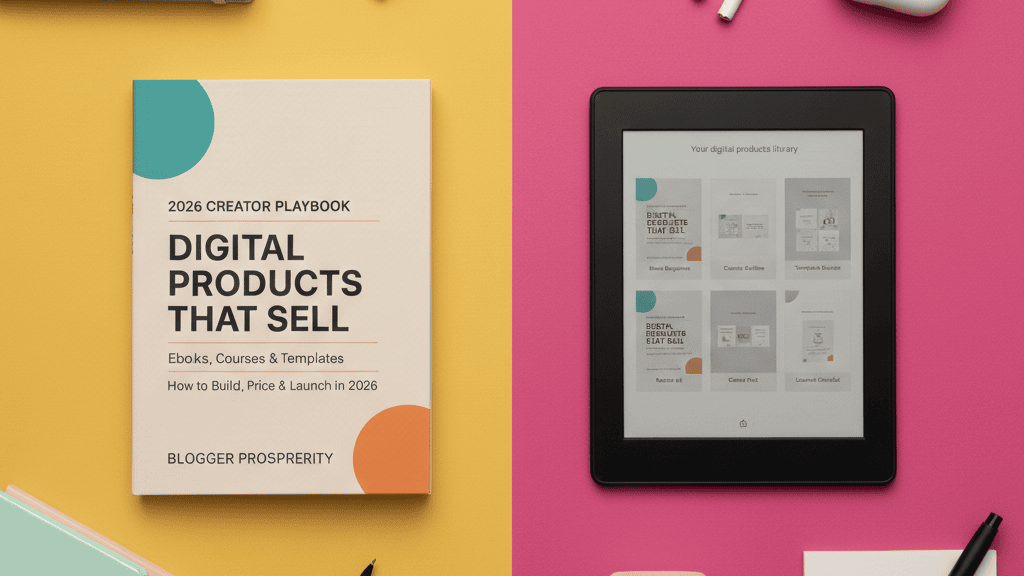
Creating digital products is one of the most powerful ways bloggers can transform their expertise into consistent revenue. Unlike display ads that pay pennies per click or affiliate links that depend on someone else’s product, digital products put you in the driver’s seat—you create once, sell repeatedly, and keep 100% of the profits.
The beauty of digital products? They’re the ultimate passive income engine. No inventory costs, no shipping hassles, no physical overhead. Just pure profit potential that scales with your audience.
In this comprehensive guide, I’ll walk you through exactly how to create three high-profit digital products—ebooks, online courses, and templates—and show you the platforms and strategies that actually work in 2026.
Why Digital Products Are Perfect for Bloggers
Before diving into creation strategies, let’s talk about why digital products should be your priority monetization model.
The numbers speak for themselves: Digital product creators are seeing unprecedented success. One creator sold $3,600 worth of ebooks without running a single ad. Another turned Pinterest trends into a thriving digital product business on Etsy. The digital product market continues exploding because people crave solutions they can implement immediately.
The Digital Product Advantage
Unlike traditional blogging income streams, digital products offer:
Zero Marginal Costs – Create your ebook once, sell it 10,000 times. Your profit margin stays at nearly 100% regardless of volume.
Instant Delivery – Customers download immediately after purchase. No fulfillment headaches, no shipping delays, no customer service nightmares.
Ultimate Flexibility – Work on your product when inspiration strikes. Launch on your timeline. Update whenever you want. You control everything.
Authority Building – Publishing a course or comprehensive guide positions you as the expert in your niche. This authority translates to higher traffic, better partnerships, and premium opportunities.
Scalable Income – Your income isn’t capped by hours in the day. Whether you sell 10 or 10,000 units, your time investment remains the same.
Understanding Your Digital Product Options
Not all digital products are created equal. Let’s break down the three most profitable options for bloggers and when to choose each.
Ebooks: Your Gateway Digital Product
Ebooks are the perfect starting point for most bloggers. They’re relatively quick to create, easy to distribute, and buyers perceive them as valuable—especially when priced between $7-47.
Best for: Sharing step-by-step processes, comprehensive guides, curated resource lists, and niche expertise.
Ideal length: 5,000-15,000 words (20-60 pages). Don’t overthink it—value matters more than page count.
Time to create: 2-4 weeks for your first ebook, faster once you have a system.
Online Courses: Premium Pricing Potential
Courses command higher price points ($97-$997+) because they combine video, worksheets, community access, and structured learning paths.
Best for: Teaching skills, transformations, or complex systems that benefit from video demonstration and step-by-step modules.
Ideal structure: 4-8 modules with 3-5 lessons each. Include downloadable resources and action steps.
Time to create: 6-12 weeks for a comprehensive course, depending on production quality.
Templates & Worksheets: Solve Immediate Problems
Templates are the dark horse of digital products. They require minimal creation time but solve urgent problems, making them easy impulse purchases at $9-47.
Best for: Providing done-for-you solutions—social media calendars, budget trackers, business planners, content outlines, Canva templates, Notion dashboards.
Ideal approach: Bundle 5-10 related templates for perceived value. Single templates work for specialized solutions.
Time to create: 3-7 days for a quality template bundle.
Step 1: Choose Your Winning Digital Product Idea
Your product idea determines your success more than anything else. Choose poorly, and even perfect execution won’t save you. Choose wisely, and customers will line up.
Identify Your Audience’s Urgent Problems
The best digital products solve specific, painful problems your audience actively searches for solutions to.
Ask yourself:
- What questions do readers repeatedly ask in comments or emails?
- What topics get the most engagement on your blog?
- Where do people in your niche consistently struggle?
- What transformations can you deliver in a defined timeframe?
Pro tip: Check your Google Analytics to identify your highest-traffic posts. These topics have proven demand—now package that information into a premium product.
Validate Before You Create
Don’t spend weeks creating a product nobody wants. Validate demand first.
Quick validation methods:
Survey your audience: Ask what they’d pay for. Use Google Forms or Typeform to collect responses.
Analyze competitor products: Search Gumroad, Teachable, and Etsy for similar products. Strong competition means validated demand.
Presell your product: Create a landing page describing your product and gauge interest before building it. If people don’t click “buy,” refine your concept.
Test with a lead magnet: Offer a free mini-version. If downloads soar, expand it into a paid product.
Choose Based on Your Strengths
Match your product type to your content creation style.
Choose ebooks if you: Love writing, have proven blog content to repurpose, want the fastest path to your first sale.
Choose courses if you: Enjoy being on camera, teach complex skills better through demonstration, want to build a premium brand.
Choose templates if you: Excel at design, understand specific workflows deeply, want to create multiple products quickly.
Step 2: Create Your Ebook (The Fast Way)
Creating an ebook doesn’t require fancy software or design degrees. Here’s the streamlined process that actually works.
Plan Your Ebook Structure
Start with a simple outline. Great ebooks follow this proven structure:
Introduction – Hook readers with the problem and promise transformation
Chapter 1-2 – Explain the foundational concepts or mindset shifts
Chapter 3-6 – Step-by-step implementation strategies
Chapter 7-8 – Advanced tactics, troubleshooting, or case studies
Conclusion – Recap the journey and inspire action
Resources – Bonus checklists, templates, or tool recommendations
Your ebook should deliver one clear outcome. If someone finishes it, they should be able to [X] by following your system.
Write Efficiently Using the Blog Repurposing Method
Here’s a secret: You don’t have to write your ebook from scratch.
The fastest approach: Identify your 5-10 best-performing blog posts on a topic. These posts already resonate with your audience.
Then:
- Copy your posts into a document
- Remove introductions and conclusions (they’re repetitive)
- Add transitions between sections
- Expand sections that need deeper explanation
- Create new content for gaps
- Write a compelling introduction and conclusion
This method lets you create a 10,000-word ebook in days, not months, because you’re repurposing proven content.
Design Your Ebook in Canva (No Skills Required)
Canva revolutionized ebook design. You can create professional-looking ebooks in hours.
Step-by-step:
- Choose a template: Search “ebook” in Canva and select a template that matches your brand. Look for 8.5″ x 11″ dimensions for printability.
- Customize your design: Replace placeholder text with your content. Swap images with your photos or Canva stock images. Adjust colors to match your brand.
- Keep it simple: Don’t use full-color backgrounds on every page—readers may want to print. Use your brand color as accents.
- Add value elements: Include checklists, worksheets, or diagrams that break up text and add functionality.
- Create a compelling cover: Your cover sells the book. Use bold headlines, a clear benefit statement, and professional imagery.
- Export as PDF: Download as “PDF Print” (not PDF Standard) for the best quality.
Design tip: Consistency matters more than complexity. Choose 2-3 fonts maximum and stick with them throughout.
Alternative: Use Pre-Made Templates with Commercial Rights
If Canva feels overwhelming, purchase ebook templates from Creative Fabrica. Many come with commercial licenses and are editable in Canva, giving you a professional design immediately.
Step 3: Build Your Online Course
Courses take more effort than ebooks, but they command premium pricing and position you as the authority.
Map Your Course Curriculum
Great courses follow a logical progression that builds knowledge systematically.
Core structure:
Module 1: Foundation – Set expectations, cover prerequisites, establish the framework
Modules 2-4: Core Teaching – The meat of your transformation, one concept per module
Module 5-6: Application – Real examples, case studies, implementation
Module 7: Advanced/Optimization – Take students to the next level
Module 8: Conclusion – Wrap up, next steps, continued learning
Each module should contain 3-5 lessons, with each lesson running 5-15 minutes.
Create Course Content That Engages
You don’t need a professional studio. Authenticity beats production value.
Video equipment: Your smartphone camera is sufficient. Good audio matters more—invest in a $50 lavalier microphone.
Recording setup: Use natural light from a window. Record in a quiet room. Keep your background clean and uncluttered.
Presentation style: Use screen recordings for demonstrations, talking head videos for explanations, and slide presentations for concepts. Mix formats to maintain engagement.
Downloadable resources: Create worksheets, checklists, templates, or swipe files that complement each lesson. These increase perceived value dramatically.
Structure for Student Success
Keep lessons focused: One concept per video. Students can digest information in 7-10 minute chunks better than hour-long lectures.
Add action steps: End each lesson with “Your Action Step” so students implement immediately rather than just consuming.
Build community: Create a private Facebook group or Discord server where students can ask questions and share wins. Community increases completion rates and testimonials.
Progress tracking: Use your course platform’s built-in features to show students their progress. Completion certificates motivate finishers.
Step 4: Design Templates That Sell
Templates are the fastest digital product to create and often become passive income machines.
Identify Template Opportunities
The best templates solve workflow problems or save significant time.
High-demand template categories:
Social media templates: Post designs, story templates, highlight covers (Canva templates for Instagram, Pinterest, TikTok)
Planning templates: Content calendars, editorial planners, budget trackers, habit trackers
Business templates: Proposal templates, invoice templates, client onboarding documents, media kits
Productivity templates: Notion dashboards, Google Sheets trackers, project management templates
Design templates: Logo templates, presentation decks, workbook layouts, lead magnet designs
Create Professional Templates
For Canva templates:
- Design your template in Canva
- Remove all personal text (leave placeholder text)
- Group elements properly for easy editing
- Share as a template link that buyers can duplicate
- Include usage instructions (screenshot walkthrough or quick video)
For spreadsheet templates:
- Build in Google Sheets or Excel
- Use formulas to automate calculations
- Color-code sections for clarity
- Lock formula cells to prevent breaking
- Add instructions tab explaining how to use
For Notion templates:
- Create your system in Notion
- Test thoroughly to ensure functionality
- Duplicate the template for yourself (never sell your working version)
- Provide template link + video tutorial showing setup
Bundle for Higher Perceived Value
Single templates sell for $7-17. Bundles sell for $27-47 because buyers perceive massive value.
Bundle strategically: Combine related templates that solve a complete workflow. Example: “Content Creator Bundle” includes social media templates, content calendar, analytics tracker, and pitch email templates.
Step 5: Choose Your Selling Platform
Where you sell matters as much as what you sell. Each platform has distinct advantages.
For Ebooks and Templates
Gumroad – The creator favorite. Simple setup, clean checkout, automatic delivery. Handles taxes and VAT. Takes 10% + payment processing.
Best for: Creators who want the simplest possible setup and don’t want to manage a website.
Payhip – All-in-one platform with storefront builder, marketing tools, and instant payouts. Also handles VAT.
Best for: Creators who want more built-in marketing features and don’t have a website yet.
Your own website with Shopify – Complete control, no platform fees, integrates with your blog.
Best for: Established bloggers who want to keep all profits and control the full customer experience.
For Online Courses
Teachable – Industry leader for course creation. Beautiful student interface, comprehensive features, handles taxes. 0% transaction fees on higher plans.
Best for: Serious course creators building a course library and want professional polish.
Thinkific – Similar to Teachable with more customization options. Free plan available to start.
Best for: Creators who want more design control and are comfortable with DIY setup.
Podia – Sells courses, memberships, downloads, and webinars all in one place. Simple interface, no transaction fees.
Best for: Creators who want one platform for multiple product types.
Step 6: Set Up Email Marketing for Automatic Sales
Here’s the truth: Your digital product won’t sell consistently without email automation.
Build Your Email List Before Launch
You need an audience to sell to. Build your list while creating your product.
Create a lead magnet: Offer a free mini-version of your paid product. If you’re creating a course on social media strategy, offer a free “10 Content Ideas” checklist.
Set up your email platform: Use ConvertKit, ActiveCampaign, or Drip. These platforms handle automation better than basic services.
Add opt-in forms everywhere: Blog sidebar, end of posts, popup (when used respectfully), dedicated landing page.
Create Your Automated Sales Funnel
An evergreen sales funnel sells your product 24/7 without you lifting a finger.
The proven sequence:
Email 1 (Immediate): Deliver the lead magnet, introduce yourself, set expectations
Email 2 (Day 1): Share a success story or case study related to your paid product topic
Email 3 (Day 2): Teach something valuable, tease what’s possible with more training
Email 4 (Day 3): Present your product with benefits, pricing, and call to action
Email 5 (Day 5): Address objections and concerns
Email 6 (Day 6): Share testimonials and results
Email 7 (Day 7): Create urgency with a limited-time bonus or discount
This sequence converts strangers into customers automatically.
Use Retargeting to Recover Lost Sales
Not everyone buys on the first visit. Retargeting brings them back.
Pixel your site: Install Facebook Pixel or Google Tag to track visitors.
Create cart abandonment emails: If someone adds to cart but doesn’t complete checkout, automatically email them a reminder with a small incentive.
Run retargeting ads: Show ads specifically to people who visited your sales page but didn’t buy. Remind them what they’re missing.
Step 7: Price Your Digital Products Strategically
Pricing makes or breaks your sales. Too low and you leave money on the table. Too high and you scare away buyers.
Ebook Pricing Guidelines
$7-17: Shorter ebooks (under 50 pages), first products from unknown creators, impulse purchases
$27-47: Comprehensive guides (50-100+ pages), proven creators with authority, specialized knowledge
$47-97: Premium ebooks with bonus materials, templates, checklists, and additional resources bundled in
Pro tip: Price your first ebook at $27. It’s high enough to be taken seriously but low enough for easy first purchases.
Course Pricing Guidelines
$97-197: Mini-courses (4-6 hours of content), basic skill development, self-paced only
$297-497: Comprehensive courses (10-20 hours), includes community access, downloadable resources, transformational outcome
$997+: Premium courses with extensive content, coaching calls, implementation support, accountability
Template Pricing Guidelines
$7-17: Single templates or small packs (3-5 items)
$27-47: Comprehensive bundles (10-15+ items), specialized templates with complex functionality
Value-based pricing works: If your template saves someone 10 hours of work, charge accordingly.
Step 8: Launch and Promote Your Product
Creation is only half the battle. Strategic promotion determines your sales volume.
Launch Strategy: Build Anticipation
Don’t just upload and hope. Plan a proper launch.
2 weeks before: Announce you’re creating something special. Tease the benefits. Build curiosity.
1 week before: Share behind-the-scenes content. Show your process. Get people invested.
Launch day: Email your list, post on social media, publish a blog post announcing the product with a limited-time launch discount.
Week after launch: Continue promoting with testimonials, use cases, and results from early buyers.
Free Promotion Strategies
Pinterest strategy: Create pins linking to your product sales page. Pinterest drives long-term traffic to digital products.
SEO blog posts: Write helpful content that ranks and includes calls-to-action for your paid product throughout.
Guest posting: Write for larger blogs in your niche and mention your product in your author bio.
Social media content: Create valuable posts that naturally lead to your product. Use Instagram Reels, TikToks, and LinkedIn carousels.
Online communities: Helpfully answer questions in Reddit, Facebook groups, and forums. When appropriate, mention your product as a deeper solution.
Leverage Testimonials and Social Proof
Nothing sells like results from real people.
Collect testimonials immediately: Email early buyers asking for feedback. Make it easy with specific questions: “What problem did this solve?” “What was your biggest win?”
Display prominently: Add testimonials to your sales page, email sequence, and social media promotion.
Create case studies: If someone gets exceptional results, interview them and share their story as blog content that links to your product.
Tools and Resources You’ll Need
Success requires the right toolkit. Here are the essential tools for digital product creators.
Design and Creation Tools
Canva Pro: Template design, ebook layouts, graphics ($12.99/month)
Screen recording: Loom for quick videos, OBS Studio for course recording (free)
Video editing: DaVinci Resolve (free), Descript for AI-powered editing
Selling Platforms
Gumroad: Simplest selling for ebooks and templates
Teachable: Professional course hosting
Podia: All-in-one for courses, downloads, memberships
Email Marketing and Automation
ConvertKit: Creator-focused email marketing with powerful automation
ActiveCampaign: Advanced automation and CRM features
Drip: Ecommerce-focused automation for digital product sellers
Payment Processing
Most platforms handle this automatically, but if you’re selling from your own site:
Stripe: Industry standard, lowest fees, global reach
PayPal: Widely trusted, some buyers prefer it
Common Mistakes to Avoid
Learn from others’ failures. Avoid these pitfalls.
Creating Before Validating
The mistake: Spending months building a product nobody wants.
The fix: Validate demand first through surveys, competitor research, and preselling.
Overcomplicating Your First Product
The mistake: Trying to create the “ultimate” course with 50 hours of content before launching.
The fix: Start with a minimum viable product. Launch, get feedback, improve based on real customer input.
Ignoring Email Marketing
The mistake: Relying solely on social media to sell.
The fix: Build an email list from day one. Email marketing delivers the highest ROI for digital product sales.
Underpricing Your Products
The mistake: Charging $7 for something worth $47 because you lack confidence.
The fix: Price based on transformation delivered, not hours invested. Premium pricing often increases perceived value.
Setting and Forgetting
The mistake: Launching once and never promoting again.
The fix: Promote consistently. Your product should be mentioned regularly in content, emails, and social media.
Your Action Plan: Start This Month
Digital products transform blogs from ad-dependent side hustles into real businesses. Here’s how to start immediately.
Week 1: Validate Your Idea
- Review your top 10 blog posts for high-engagement topics
- Survey your audience about their biggest challenges
- Research competitors on Gumroad and Teachable
- Choose your product type (ebook, course, or templates)
Week 2: Create Your Minimum Viable Product
- Outline your complete structure
- Gather existing content you can repurpose
- Create your core content (first draft)
- Design in Canva or record first videos
Week 3: Build Your Sales Infrastructure
- Choose your selling platform
- Create your sales page highlighting benefits
- Set up payment processing
- Design email sequence for launch
Week 4: Launch and Promote
- Email your list with launch announcement
- Post on social media daily
- Publish blog post announcing product
- Create Pinterest pins linking to sales page
Your first sale validates everything. That first notification—whether it’s $27 or $297—proves your expertise has tangible value. From there, you optimize, scale, and expand your product line.
Your Digital Product Empire Starts Now
Digital products aren’t just another monetization tactic—they’re the foundation of sustainable blogging income. While display ads fluctuate and affiliate commissions vary, your digital products consistently generate revenue under your complete control.
The best time to start was yesterday. The second-best time is today.
Your expertise is valuable. Your audience has problems you can solve. The tools are accessible. The market is growing. The only thing missing is your product.
Choose one product type. Validate one idea. Create one outline. Take one step today.
Your first digital product won’t be perfect—and that’s perfectly fine. Launch it anyway. Every successful course creator, ebook author, and template designer started exactly where you are now: with an idea and the courage to ship it.
Before launching any product, focus on how you will build a loyal email audience so you’re not relying only on search traffic.
Digital products work best when they are part of a structured monetization plan instead of your only income source.
The question isn’t whether you can create a successful digital product. The question is: what will you create first?