Affiliate Link Management Made Easy: ThirstyAffiliates and Alternatives for Beginner Bloggers
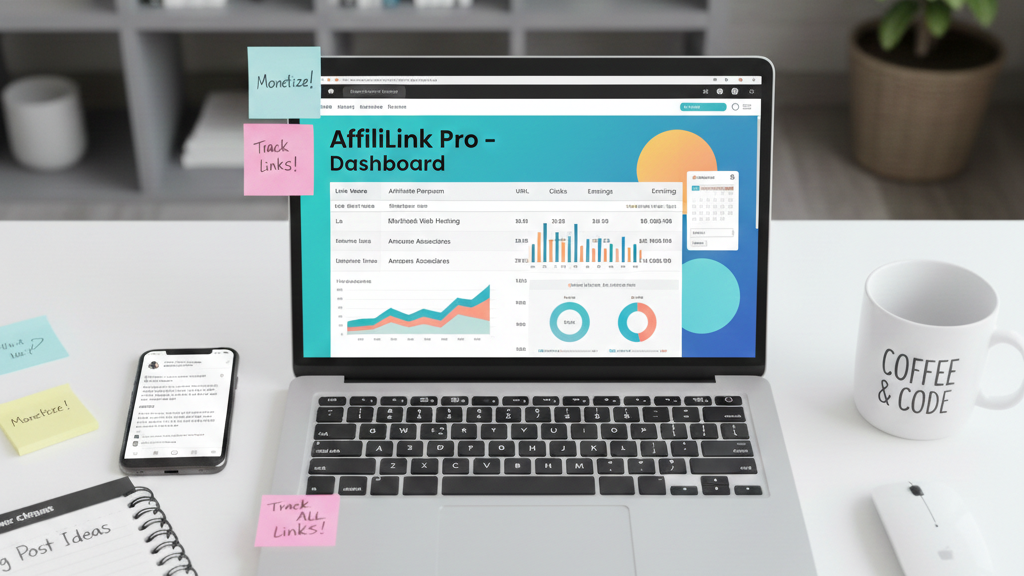
Running a blog is hard work, but managing dozens of affiliate links shouldn’t be. If you’re just starting out, you might be dropping clunky affiliate URLs directly into posts or forgetting to update them when merchants change their programs. An affiliate link management plugin solves these headaches by cloaking, organizing and tracking your links automatically. This guide introduces ThirstyAffiliates—one of the most popular link managers—and compares it with other beginner‑friendly tools so you can pick the best fit for your blog.
Why You Need an Affiliate Link Management Plugin
Affiliate links are how bloggers earn a commission when readers buy products through recommendations. But without a plugin they can become unmanageable. A good link manager helps you:
Cloak long, messy URLs: It converts unwieldy referral links into short, branded slugs hosted on your domain. Cloaked links protect your commissions from ID stripping and look more trustworthy to readers.
Centralize link management: Updating one link automatically updates it everywhere it appears on your site. This saves you from manually editing dozens of posts when merchants change their affiliate programs.
Track clicks and performance: Built‑in analytics show how many clicks each link receives and where visitors come from, helping you optimize your monetization strategy.
Automate keyword linking: Automatically convert specified keywords into affiliate links across new and existing posts, maximizing your earning potential without manual work.
Create attractive product displays: Some plugins let you create product boxes and comparison tables that boost clicks and improve conversion rates.
What Is ThirstyAffiliates?
ThirstyAffiliates is a WordPress plugin designed to simplify affiliate link management for bloggers. It allows you to cloak affiliate URLs, insert them into content and see how they perform without leaving your dashboard. The plugin is particularly useful for content‑heavy sites because it centralizes link management—update a link once and ThirstyAffiliates updates it everywhere on your site.
Its standout feature is automatic keyword linking, which can find specified keywords in your posts and convert them into affiliate links. ThirstyAffiliates also supports geotargeting so visitors are sent to region‑specific offers, and includes built-in analytics for tracking link performance.
Key Features of ThirstyAffiliates
Automatic keyword linking: The plugin can automatically link chosen keywords throughout your site. This saves time and maximizes monetization opportunities across your entire content library.
Link cloaking and protection: Transform long affiliate URLs into branded, professional links that protect your commissions from theft.
Amazon API import: If you promote Amazon products, ThirstyAffiliates can import product information via Amazon’s API.
Click tracking and statistics: Monitor link performance with built-in click tracking and geolocation reports.
Link health checker: Automatically explores your affiliate links for 404s or broken links and notifies you when it detects problems.
Centralized management: Organize links by category and tag, update them once, and see changes reflected across all posts.
Quick Start: Setting Up ThirstyAffiliates
Installing ThirstyAffiliates is straightforward:
- From your WordPress dashboard, navigate to Plugins → Add New and search for “ThirstyAffiliates.” Click Install Now and then Activate.
- In the WordPress menu, open ThirstyAffiliates and select Add New Affiliate Link. Paste your affiliate URL and create a short, memorable slug (e.g.,
/recommends/hosting). - Adjust Link Options to enable or disable cloaking and geotargeting depending on your affiliate program’s rules.
- Use the Automatic Keyword Linking tab to specify phrases you want automatically converted to affiliate links.
Once configured, new posts automatically pick up these keywords and convert them to affiliate links, letting you focus on writing instead of manual linking.
ThirstyAffiliates Pricing
ThirstyAffiliates offers three pricing plans:
- 1-site license: $99.60/year
- 5-site license: $149.60/year
- 10-site license: $199.60/year
All licenses include 12 months of email support and plugin updates, with a 14-day money-back guarantee. A free version is available with basic features.
Top ThirstyAffiliates Alternatives for Beginner Bloggers
ThirstyAffiliates is powerful, but it isn’t the only option. Depending on your needs—Amazon‑focused content, sophisticated product displays or full monetization workflows—you may prefer one of the following tools.
Pretty Links
Pretty Links turns messy affiliate URLs into clean, branded links using your own domain. The plugin goes beyond basic shortening by cloaking URLs, tracking clicks in real time and automatically converting keywords across your entire site. It also offers advanced features like link‑health monitoring—which scans your site for broken links and alerts you—and dynamic redirects for A/B testing or geographic targeting.
A product display add‑on lets you embed attractive product boxes with images, descriptions and call‑to‑action buttons directly in your posts. The auto-linking feature automatically creates affiliate links for pages, posts, and custom post types, while split testing capabilities help you optimize conversion rates.
Best for: Bloggers who want comprehensive link management, real‑time analytics and customizable product displays. Pricing: Starting at $99.60/year (Beginner plan) up to $199.60/year (Super Affiliate plan), with a free version available for basic use.
Lasso
Lasso is a premium tool that focuses on monetization. It can instantly monetize existing links across your site: you simply add a merchant’s affiliate URL, and Lasso finds all matching URLs and converts them to affiliate links. It also monetizes specific keywords—enter a keyword and Lasso automatically links every mention to your affiliate offer.
Lasso’s standout feature is its display boxes, which create eye‑catching call‑to‑action boxes with images, descriptions and customizable buttons. The plugin integrates with Amazon’s API to keep product data up‑to‑date and can update affiliate links globally if a merchant changes its program. It even tracks link performance and includes a high-commission marketplace that has made over 450,000 private deals for higher payouts on Amazon.
The plugin offers automatic geolocation redirects for international audiences and comparison tables that increase time-on-page and click-through rates.
Best for: Bloggers ready to invest in a full monetization platform with product displays and advanced automation. Pricing: Creator plan for 1 property, Pro plan for up to 3 properties (starting around $29/month), and Studio plan for 5 properties. A free “Lite” version is available.
Simple URLs
Simple URLs is the free cousin of Lasso. It allows you to manage affiliate links from multiple providers, cloak them and choose from a handful of templates for product displays. Although it offers only basic product boxes, even a single box can improve your blog’s appearance and increase click‑through rates. For bloggers on a budget who want a no‑frills solution, Simple URLs is a great starting point.
Best for: Beginners looking for a free, lightweight link manager with simple product display capabilities.
AAWP (Amazon Affiliate WordPress Plugin)
AAWP is built specifically for Amazon Associates. It pulls real‑time product data from Amazon’s Product Advertising API to create product boxes, comparison tables and bestseller lists that boost click‑through rates. The plugin supports geotargeting so visitors are redirected to their local Amazon store, automatically updates prices and shows “last updated” notices to comply with Amazon’s terms.
You can embed boxes via shortcodes or Gutenberg blocks and customize the design with CSS hooks. AAWP also includes click tracking and schema‑ready markup to improve SEO.
Best for: Bloggers focused on the Amazon Associates program who need dynamic product displays and geotargeting. Pricing: Starting at approximately €49/year.
Geniuslink
Geniuslink is a cloud‑based service rather than a WordPress plugin. It excels at maximizing international affiliate revenue through localization and deep linking. Geniuslink combines localization, mobile deep linking and seller networks to improve the shopping experience and boost income.
Its Automatic Amazon localization sends each visitor to the appropriate regional Amazon store automatically, and its mobile deep linking ensures users are taken directly to the Amazon app on mobile devices. The service lets you connect your affiliate programs once and guarantees that every product link you share earns you commissions. You can manage links for nearly any major retailer from a single dashboard.
Best for: Bloggers with significant international traffic or those promoting products beyond WordPress who need geo‑targeting and mobile optimization. Pricing: Plans are typically per-click and scale with your traffic.
ClickWhale
ClickWhale is a modern affiliate link management plugin for WordPress that simplifies affiliate management, optimizes links, and helps grow your affiliate revenue. The plugin provides easy affiliate link management with customizable affiliate tracking, allowing you to brand your URLs and improve click-through rates.
ClickWhale’s automatic keyword linking feature lets you set up to 10 keywords per link, and the plugin will automatically insert corresponding affiliate links wherever these keywords appear in your content. You can control the frequency of link insertion per page, choose which post types to include, and decide whether links open in new tabs.
The plugin integrates seamlessly with Google Analytics, Facebook Pixel and other analytics tools, making it easy to track the performance of your links. It also includes e-commerce conversion tracking for WooCommerce and Easy Digital Downloads stores.
Best for: WordPress users who want better link control with advanced automation and comprehensive analytics. Pricing: Free version available; PRO plan includes advanced features like keyword auto-linking and UTM campaign tracking.
BetterLinks
BetterLinks is a modern link shortener and management plugin with a clean, user-friendly interface. It offers drag-and-drop link management, making it easy to organize links into different categories. The plugin includes built-in analytics, one-click migration from other plugins like Pretty Links and ThirstyAffiliates, and a UTM code generator for tracking campaigns.
BetterLinks supports multiple link redirect types (301, 302, 307), click tracking with detailed reports (including top referrer clicks, social media clicks, OS clicks, and browser clicks), and an interactive calendar to filter clicks by date. The PRO version adds features like individual analytics, link expiration dates, split testing with dynamic redirects, Google Analytics integration, Facebook Pixel tracking, and automatic keyword linking.
Best for: Bloggers who want a modern, easy-to-use link manager with comprehensive reporting and analytics. Pricing: Free version available; PRO plans start at $49/year.
URL Shortify
URL Shortify is a simple, elegant self-hosted alternative to services like Bitly, TinyURL, and Rebrandly. It helps you beautify, manage, and share any URL on or off your WordPress website using your own domain name.
The plugin offers full link analytics tracking each click with geo, device, and referrer information, customizable redirect types (301, 302, 307), and parameters forwarding to automatically append parameters to destination URLs. URL Shortify also includes features like link rotation for A/B testing, password-protected links, QR code generation, and bulk link generation.
Best for: Bloggers who want a straightforward URL shortener with good analytics and don’t need advanced affiliate-specific features. Pricing: Free version available; PRO plans start at $69/year.
Auto Affiliate Links
Auto Affiliate Links automatically adds affiliate links into your WordPress content based on keywords you choose or autonomously connects to affiliate networks. The plugin can automatically extract and display affiliate links from Amazon, Clickbank, Shareasale, eBay, Walmart, Commission Junction, BestBuy, and Envato Marketplace.
You can manually set affiliate links and keywords, or let the plugin automatically generate links. The plugin provides link cloaking ability, lets you limit the number of links added per article, supports post and category exclusion, includes link statistics, and offers automatic link disclosure. The frequency ranges from “Very Low” (1 link per article) to “Very High” (5 links per article).
Best for: Bloggers who want to automate affiliate linking across multiple networks without manual keyword assignment. Pricing: PRO version available at $29/month, $199/year, or $499/5 years.
Affilimate
Affilimate is an advanced affiliate dashboard and data aggregator designed for experienced bloggers, media brands, and portfolio owners. Unlike WordPress-only plugins, Affilimate aggregates affiliate data from over 100 networks into a single unified dashboard, providing trusted revenue intelligence built to grow revenue and confidence.
The platform’s standout feature is its brilliant integration of dynamically populating SubIDs on your links, which helps automate tracking of individual affiliate links throughout your site and provides information in a clear, actionable way. Affilimate offers page-level revenue tracking, allowing you to see which specific pages and posts are generating the most affiliate income.
The tool provides five different perspectives on affiliate performance per page: Trends, Heatmap, Link Performance, Revisions, and Audience. Each view helps you understand and optimize pages to maximize affiliate commissions. The Link Performance view breaks down all affiliate links on a specific page by anchor text and destination, showing metrics like visibility (how often the link is scrolled into view), clicks, and average click-through rate.
Best for: Experienced bloggers and media companies with substantial content who need advanced analytics and revenue tracking across multiple affiliate networks. Pricing: Plans start at $29/month with no free tier, but offer fewer limits on data retention, custom reports, and integrations compared to competitors.
Choosing the Right Tool
When selecting an affiliate link manager, consider your blogging goals and audience:
Content focus: If you primarily promote Amazon products, AAWP’s real‑time data and geotargeting will save time and keep your pages compliant. For general affiliate networks, ThirstyAffiliates, Pretty Links, or ClickWhale offer broader support.
Budget: Free options like Simple URLs, BetterLinks, and the free versions of ThirstyAffiliates and Pretty Links are perfect for beginners. Lasso and Pretty Links offer more robust features at higher price points.
Automation level: If you want to automate every aspect of link monetization and product displays, Lasso’s monetization features, Pretty Links’ dynamic redirects, or Auto Affiliate Links’ multi-network automation are compelling.
International traffic: For readers from multiple regions, Geniuslink or AAWP’s geotargeting capabilities ensure visitors land on the correct storefront.
Analytics needs: If you need deep insights into which content drives revenue, Affilimate offers the most comprehensive analytics and revenue attribution. For basic click tracking, most plugins like ThirstyAffiliates, Pretty Links, and BetterLinks will suffice.
Tips for Managing Affiliate Links Effectively
Organize your links: Use categories and tags within your link manager to mirror your content structure. This makes bulk edits and performance analysis easier.
Track performance: Review click data regularly to understand which links drive conversions. Pretty Links, ThirstyAffiliates, and BetterLinks provide dashboards for this.
Check for broken links: Use link health or monitoring features to detect broken or expired links. Broken links can hurt both your revenue and user experience.
Respect affiliate program rules: Some programs prohibit cloaking. Always read the terms of your affiliate programs and disable cloaking when required. Amazon Associates, in particular, has strict policies about link cloaking.
Prioritize user experience: Avoid over‑linking. Automatic keyword linking is powerful, but ensure your content remains readable and helpful, not spammy. Authenticity and genuine content are trending strongly in 2026.
Use proper disclosures: You are legally required by the FTC to clearly and conspicuously disclose that you may earn a commission from your recommendations. Add affiliate link disclosures to pages, posts, or individual links.
Implement nofollow and sponsored tags: Use “nofollow” and “sponsored” attributes for SEO compliance as recommended by Google.
Test and optimize: Use split testing features available in plugins like Pretty Links and BetterLinks to determine which link placements and anchor text perform best.
Final Thoughts
Managing affiliate links doesn’t have to be a time‑consuming chore. Tools like ThirstyAffiliates, Pretty Links, Lasso, Simple URLs, AAWP, Geniuslink, ClickWhale, BetterLinks, URL Shortify, Auto Affiliate Links, and Affilimate cater to different budgets and needs but share a common goal—simplifying affiliate link management so you can focus on creating valuable content.
The affiliate marketing landscape in 2026 emphasizes authenticity, data-driven strategies, and performance-based commissions. By selecting the right tool for your specific needs and following best practices, you’ll improve your blog’s user experience, comply with affiliate program rules, protect your commissions from theft, and maximize your earnings.
Whether you’re just starting with a free plugin like Simple URLs or BetterLinks, or ready to invest in a comprehensive solution like Lasso or Affilimate, the right affiliate link management tool will pay for itself through increased efficiency, better tracking, and higher conversion rates. Start with one tool that matches your current needs and budget, then scale up as your blog grows and your affiliate income increases.
Before managing affiliate links at scale, make sure you understand the realistic path to monetizing your blog so you’re building income intentionally.